One Guest, One Folio
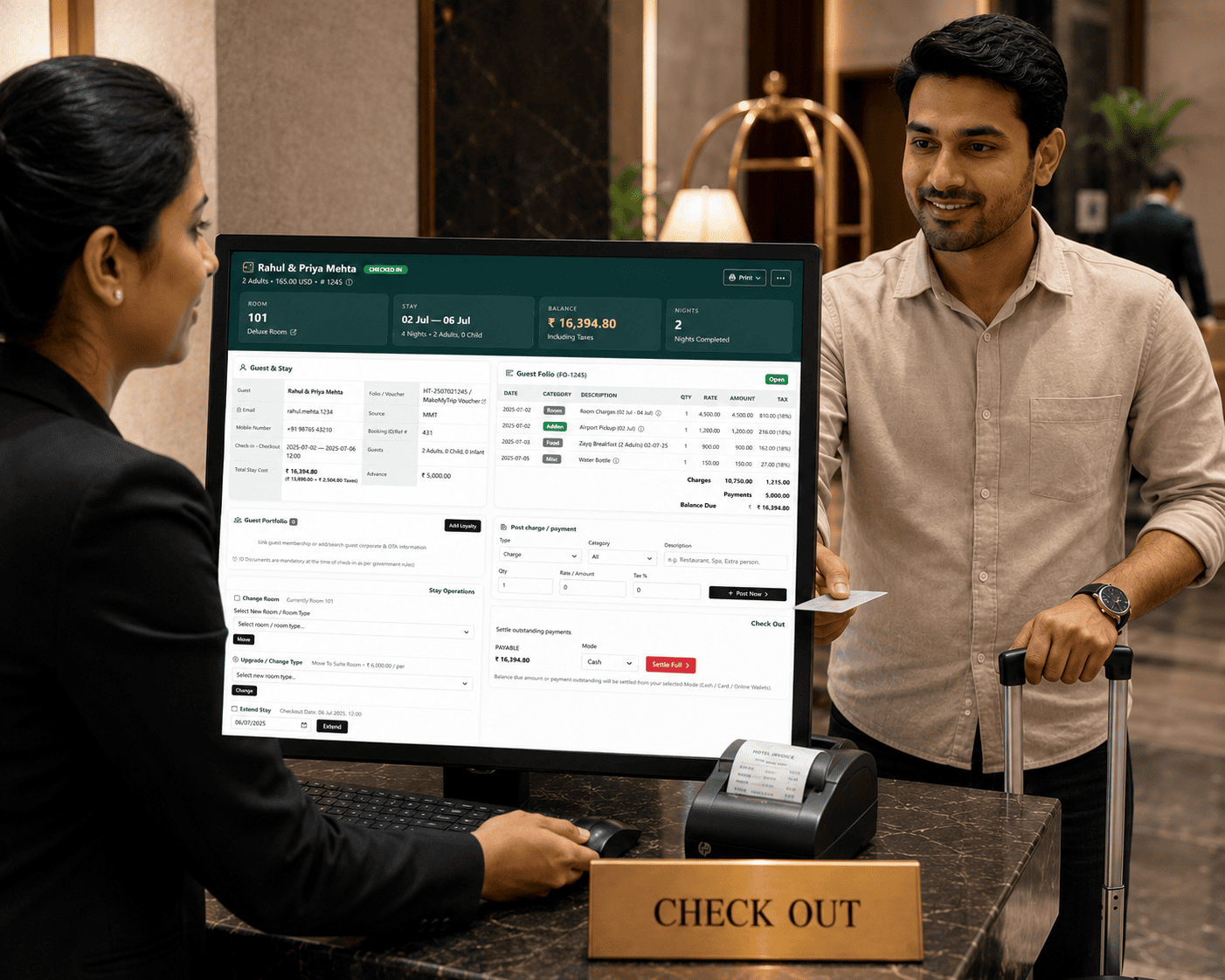
The guest folio contains room charges, F&B room postings, services, advances and payments in one place.
Manage resort bookings, front office, room rack, housekeeping, rate calendar, night audit, restaurant POS, GST billing, guest website and reports from one connected ERP system. T3 Resort ERP keeps staff operations and guest bookings linked, so every reservation, folio, room status and payment stays visible in real time.
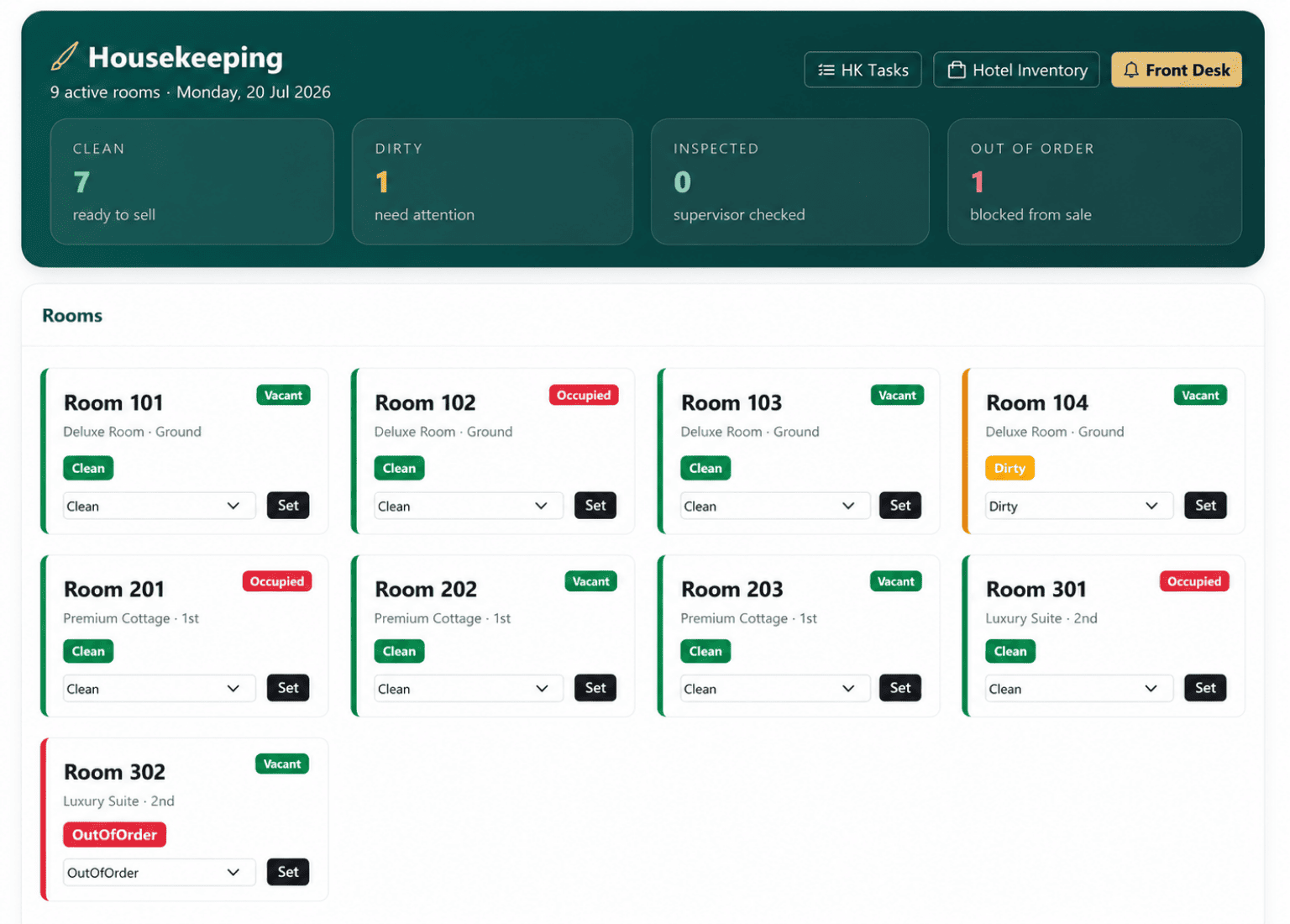


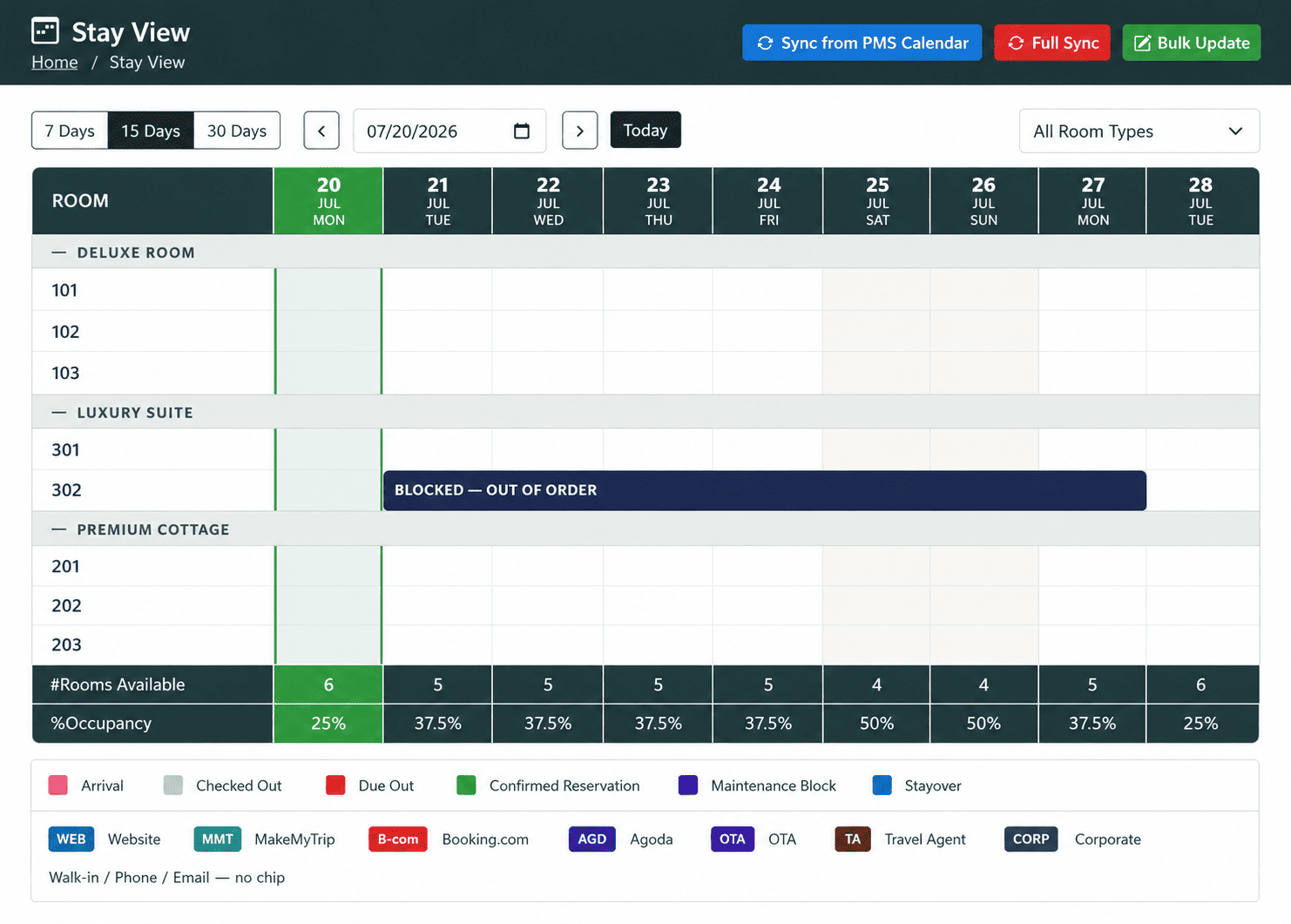
Resort teams handle room bookings, guest arrivals, housekeeping, restaurant orders, payments and day closing at the same time. When these activities run in separate registers or disconnected tools, staff need to call each other for room status, payment status and guest details. T3 Resort ERP gives front office, housekeeping, F&B, finance and management teams one live operating view.

When reservations, guest information and room availability are maintained separately, the front-office team may face booking conflicts and slower check-ins. T3 Resort ERP keeps every reservation, guest profile and room assignment connected.
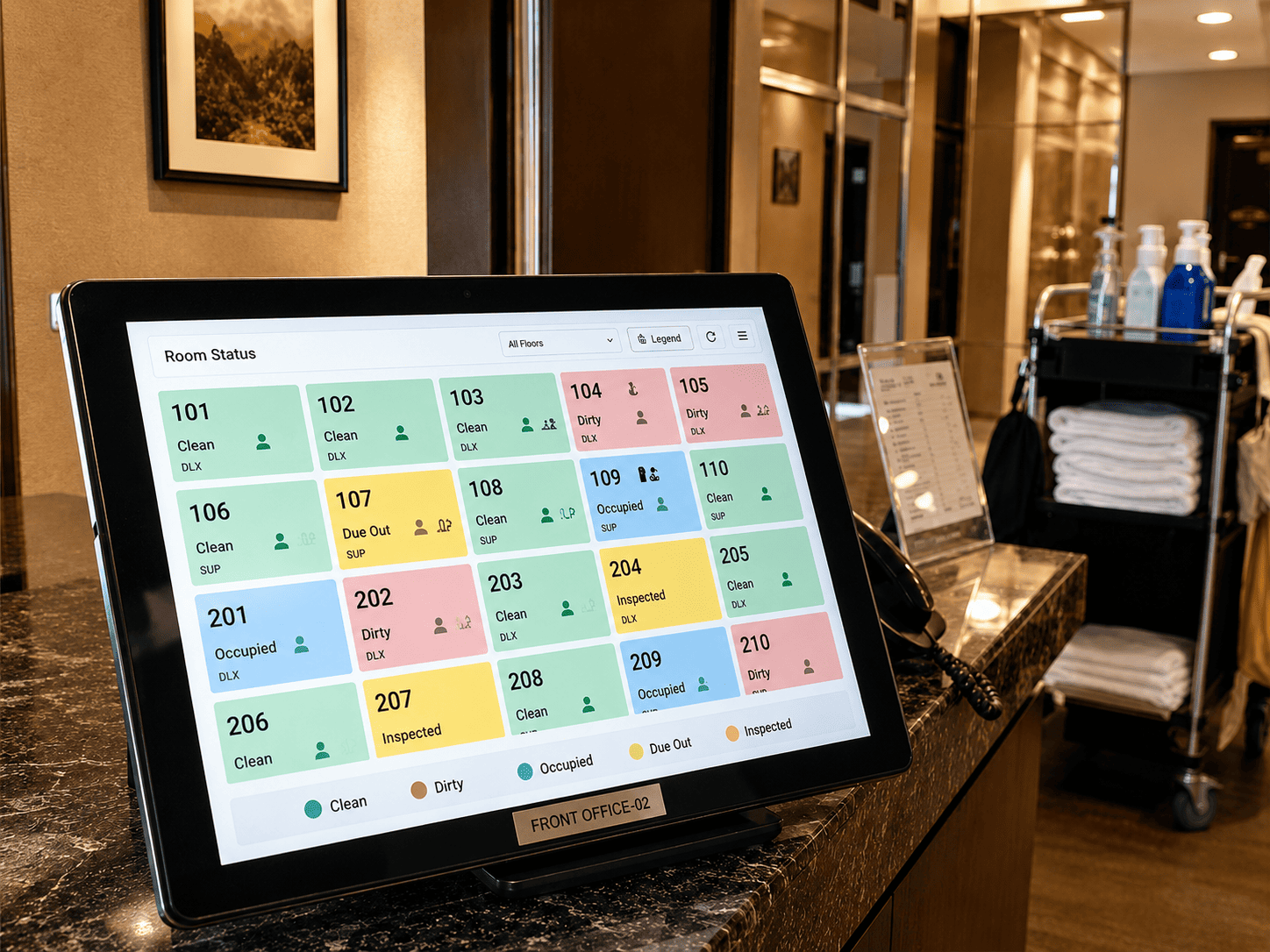
Front-office staff need to know whether a room is occupied, vacant, dirty, clean or ready for check-in. Live housekeeping updates reduce internal calls and help the team prepare rooms faster for arriving guests.
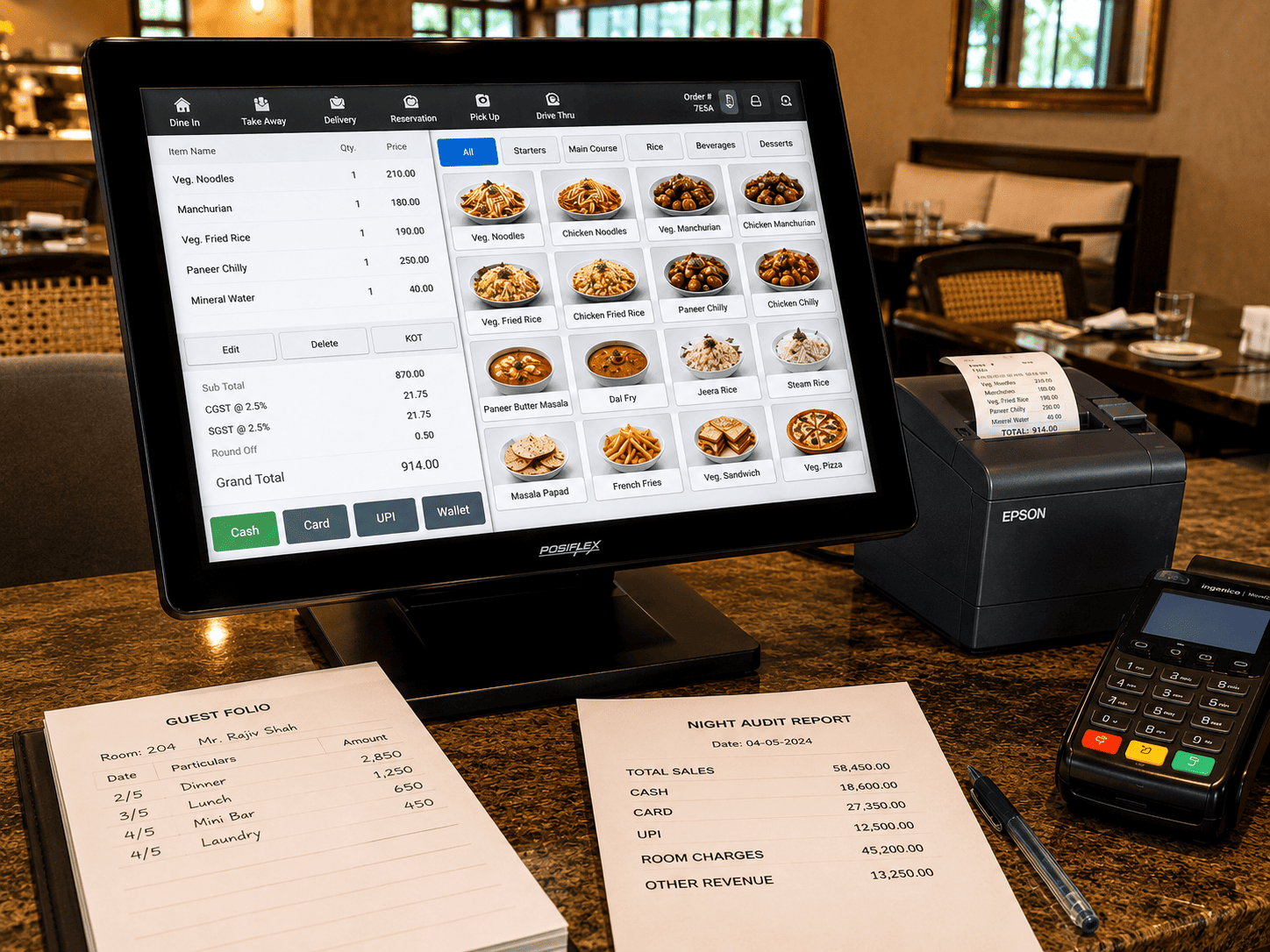
Restaurant orders, guest folios, GST invoices and payments should remain connected throughout the stay. T3 Resort ERP brings billing and night-audit information together for accurate settlement and daily management review.
T3 Resort ERP supports bookings from the guest website, walk-in, phone and other sources such as MakeMyTrip, Booking.com, Agoda and Goibibo. The same reservation flow captures guest details, room type, stay dates, party size, booking source, advance amount and traveller information.
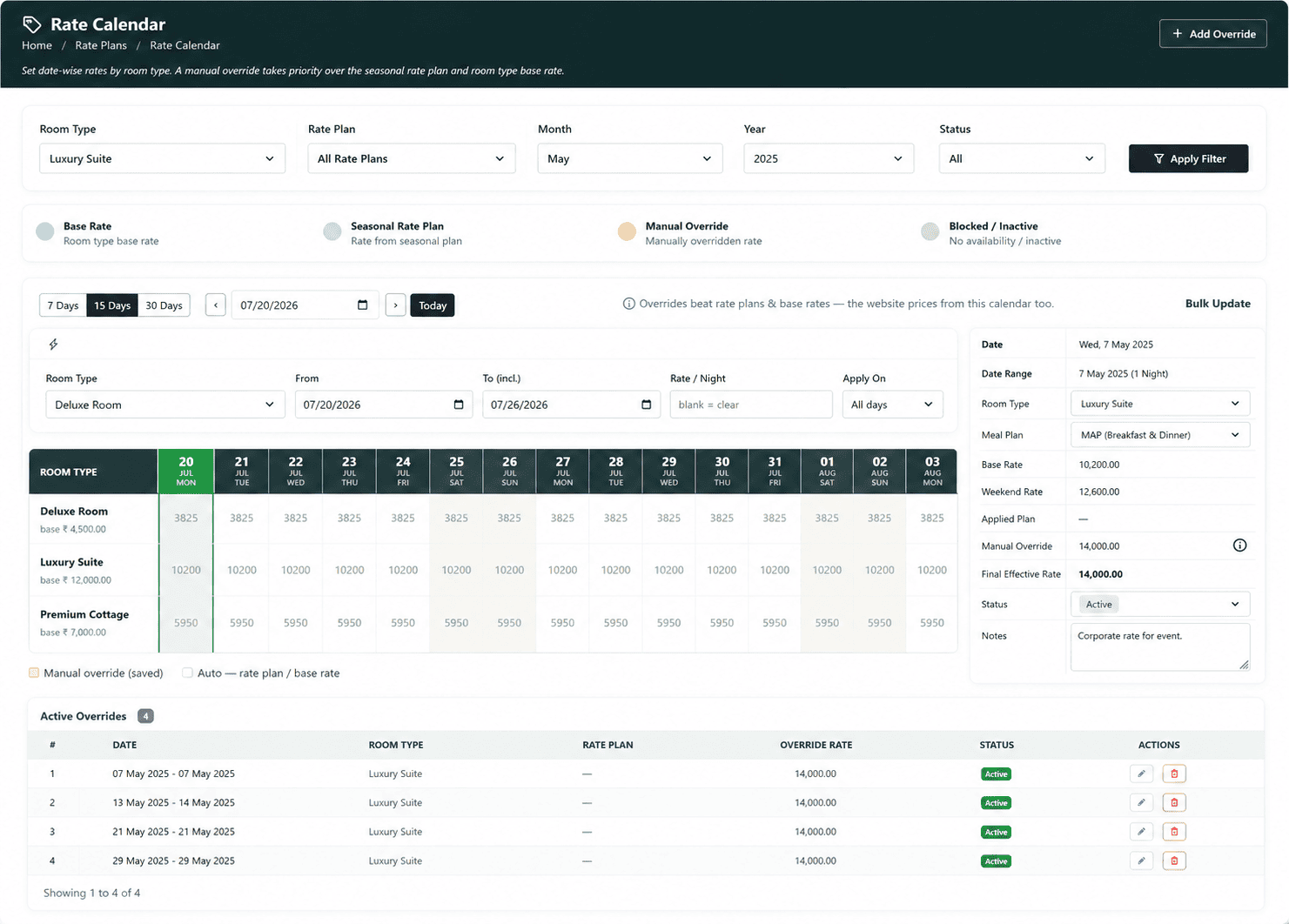
Know More from our ExpertGuests and staff can check room availability by date and party size. Prices are selected night by night from the configured Rate Calendar.
Staff can create bookings from Reservations or the front desk. Once saved, the booking appears immediately in the front desk and Stay View.
Store traveller name, age, gender, ID type, ID number and photo-ID upload. Website bookings can arrive with traveller details already filled.
Display sources such as Website, MakeMyTrip, Booking.com, Agoda or Goibibo as badges, helping staff quickly identify where every booking originated.
Once a reservation is confirmed, the front office can handle check-in, room allocation, stay changes, service charges, payments and checkout from the same guest record.
Open the reservation from arrivals, the room rack or Stay View, select an available room of the booked type and complete the guest check-in with proper front-office visibility.
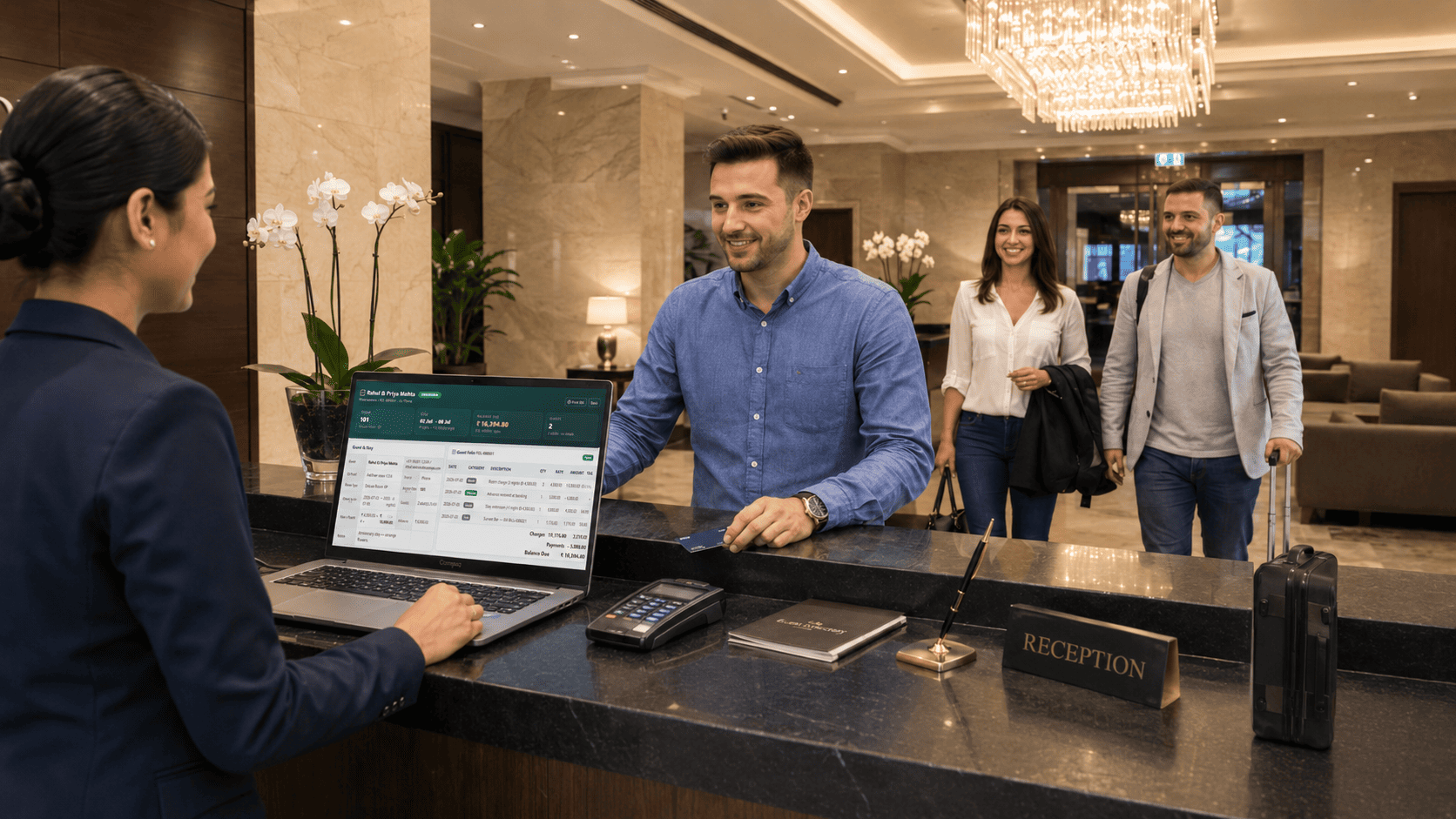
Maintain traveller cards with identification details and uploaded documents. Guest information stays connected with the reservation, stay record and final billing process.
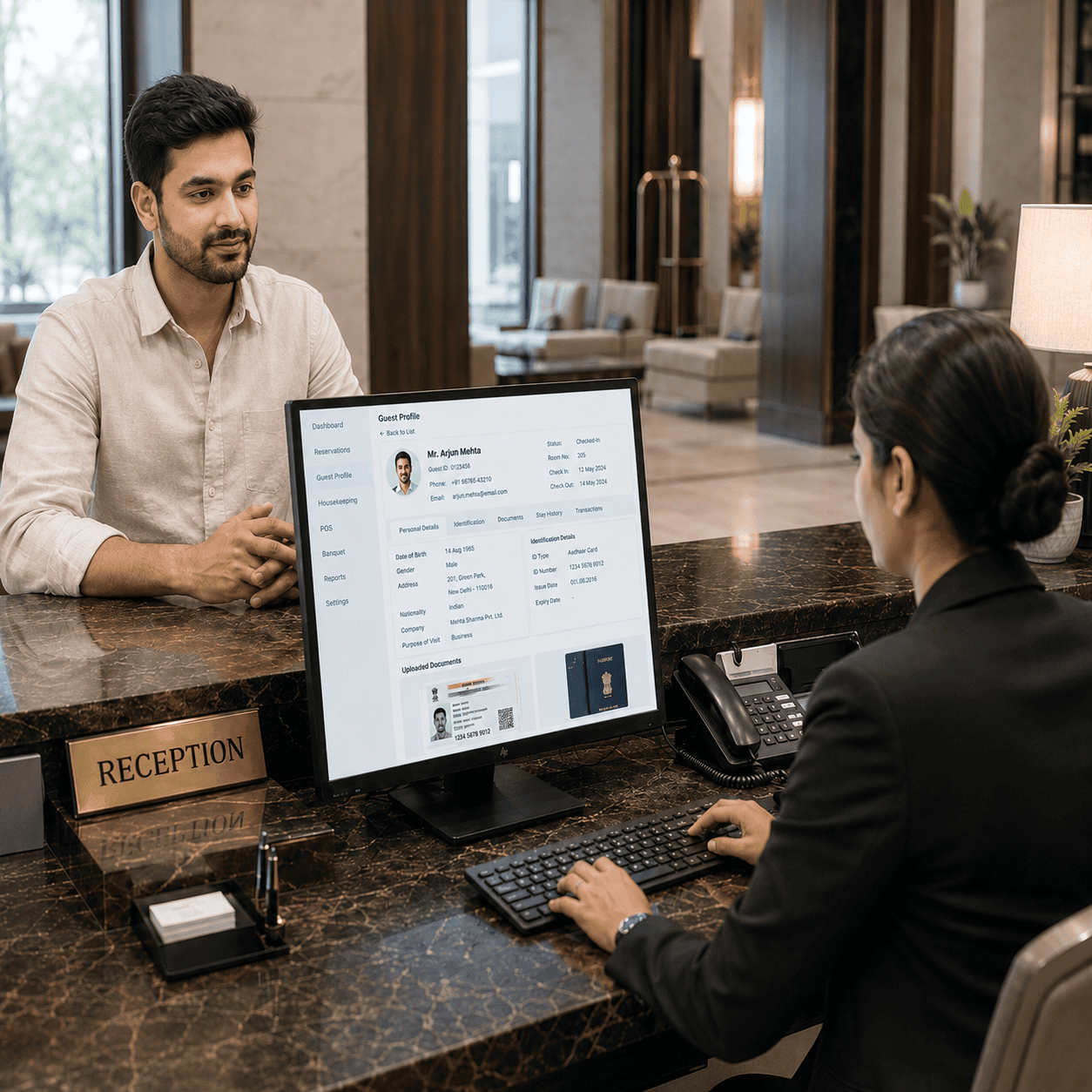
Move a guest to another room, upgrade the room type with the applicable rate difference or extend the stay after checking room availability.

Post service and miscellaneous charges to the guest folio and record mid-stay payments. Restaurant and bar orders selected as Room are received directly from POS.
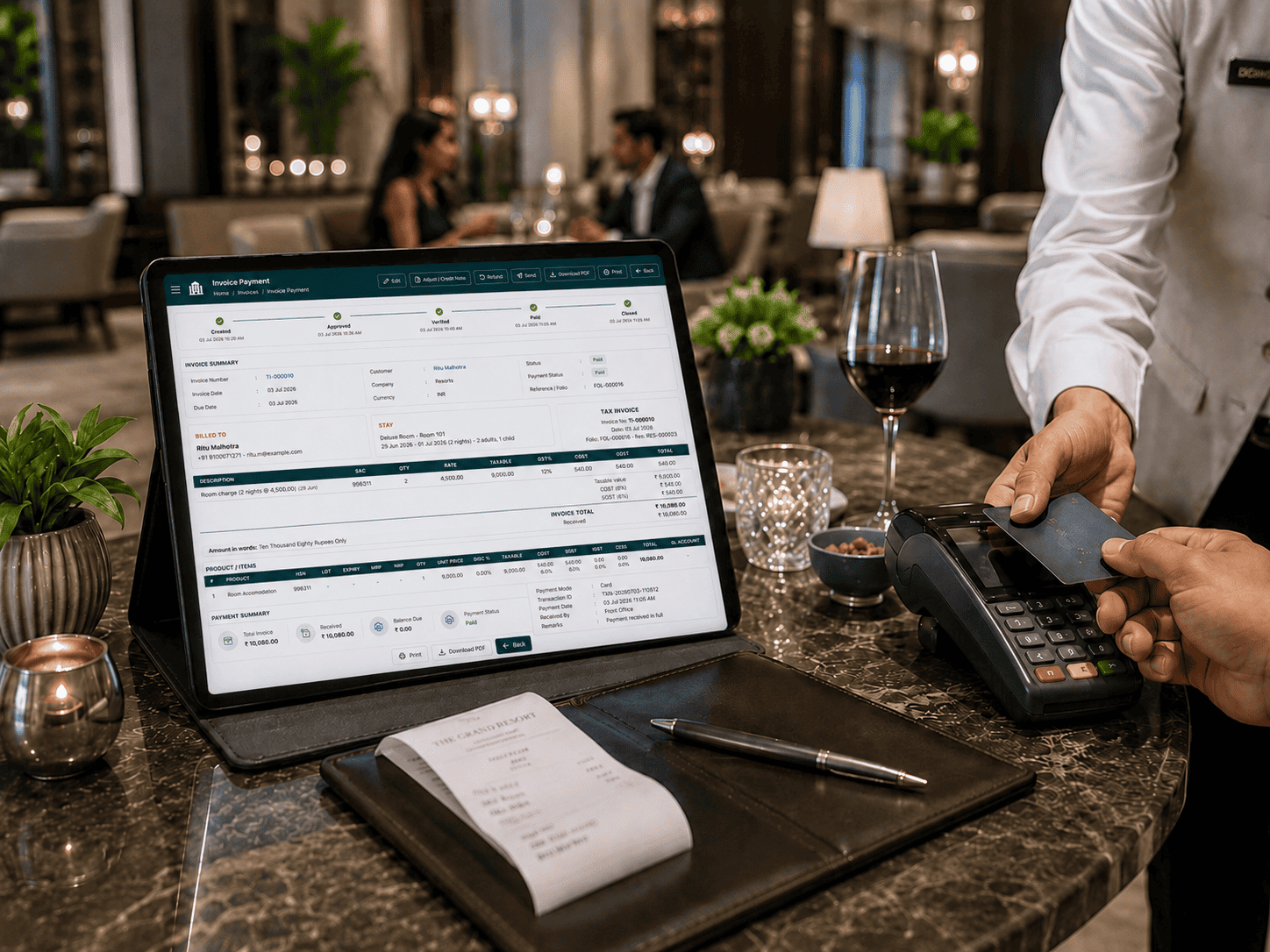
Review the complete folio, collect the outstanding balance, close the room, mark it dirty for housekeeping and generate the final GST tax invoice.
Daily resort control depends on three areas working correctly: the rate calendar, room readiness and night audit. T3 Resort ERP connects these controls so the team knows what can be sold, what rate should apply and whether the business day is ready to close.
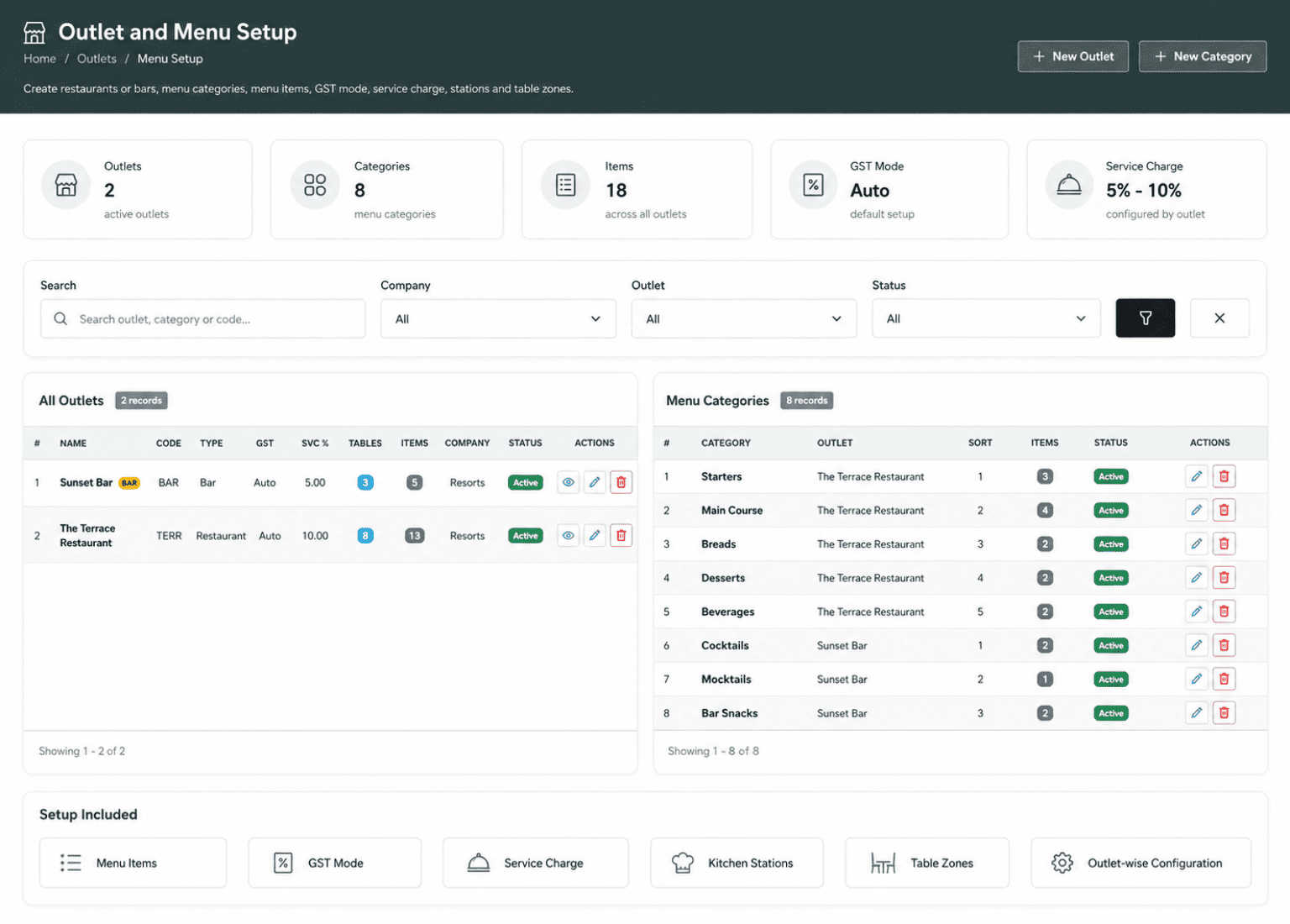
The F&B POS handles restaurant, bar, takeaway and room-service orders. Staff can open a table, add items from the menu grid, fire the KOT to the right station and settle the bill by payment mode or charge it to an in-house guest room.
Billing and finance are connected with stay operations. Room charges, F&B posted to room, extra services, advances and payments stay on one folio. At checkout, the system closes the folio, assigns a GST tax invoice number and creates the ERP sales invoice against the guest customer account. This helps the resort team avoid separate billing work, missed service charges, manual GST calculation errors and disconnected finance entries. Store stock, procurement and movement history also remain linked so finance, front office and operations can work from the same updated data.
The guest folio contains room charges, F&B room postings, services, advances and payments in one place.
Checkout generates a TI-series invoice with SAC codes, CGST/SGST split, tax summary and amount in words.
Room GST follows the tariff slab, while restaurant GST follows the outlet GST mode. Both can appear correctly on one invoice.
Each guest becomes a customer account. Checkout creates a sales invoice, while vendors, purchase orders and purchase invoices support resort procurement.
Kitchen, Housekeeping, Minibar and Maintenance stores show stock on hand, par level, low badges, stock value and movement history.
Staff can record In, Out and Waste movements with notes. New items begin with opening stock so the inventory trail remains complete.
Clear answers for resorts evaluating booking, front office, housekeeping, restaurant POS, GST billing, night audit and finance-connected ERP software.
Share your current booking, front-office, housekeeping, POS or billing process with our solution team.
Talk to a Solution ConsultantT3 Resort ERP helps manage reservations, room rack, guest check-in, stay changes, housekeeping, rate calendar, restaurant and bar POS, room posting, GST billing, night audit, finance documents and resort store inventory.
Yes. Website bookings can be connected with room availability, guest details, stay dates, room type, booking source and advance payment so the front office does not need to enter the same information again.
Rooms can be marked clean, dirty, inspected or out-of-order. Checkout can automatically mark the room dirty, while housekeeping tasks can be created for cleaning, inspection, maintenance, turndown or deep-clean activities.
Yes. Restaurant, bar, takeaway and room-service orders can be handled through POS. Bills can be settled by payment mode or posted to an in-house guest room as part of the guest folio.
At checkout, the system can close the folio, calculate room and restaurant GST correctly, assign a GST tax invoice number and create the ERP sales invoice against the guest customer account.
Before closing the day, the system checks occupancy, room revenue, F&B revenue, payments, no-shows, due-outs and open F&B checks. The Day-End Report can be printed after closing.