How Logistics ERP Software Helps Control Freight, Billing and Delivery Operations
Managing logistics is not only about moving goods from one place to another. Businesses also need to manage freight booking, vehicle planning, warehouse stock, dispatch, delivery tracking, billing, vendor payments and transport documents. When these activities are handled through Excel sheets, emails, WhatsApp messages and phone calls, information can easily become scattered. This may lead to delayed deliveries, wrong freight charges, missing documents, stock mismatches and billing errors. A Logistics ERP Software helps businesses bring these activities into one connected system. It allows warehouse, dispatch, transport, accounts and management teams to work with the same updated information.
What Is Logistics ERP Software?
Logistics ERP Software is a central business system that helps companies manage logistics operations from one platform. It connects important processes such as transportation, warehouse, inventory, order processing, shipment tracking, vendor management, billing, finance and customer delivery. Instead of entering the same information again in different systems, teams can use one ERP platform to manage the complete order-to-delivery cycle.
For example, when a customer order is received, the system can help check stock availability, reserve inventory, assign a vehicle, track the shipment, record delivery and prepare the invoice using the same data.
Why Logistics Businesses Need ERP Software
Logistics operations involve many moving parts. Vehicles may get delayed, fuel costs may change, warehouse stock may not match records and customer delivery timelines may shift. Without a connected system, teams spend too much time following up with drivers, warehouse staff, transporters, accounts teams and customers.
A Logistics ERP helps reduce this dependency by giving businesses real-time visibility and better control over daily operations.
It can help businesses manage:
- Shipment status
- Warehouse stock
- Vehicle and driver planning
- Freight charges
- Vendor bills
- Customer invoices
- Proof of Delivery
- Pending deliveries
- GST and compliance documents
- Reports and dashboards
This makes the logistics process more organised, accurate and easier to monitor.
Key Features of Logistics ERP Software
A good Logistics ERP Software connects different departments and helps them work with the same data.
Important features include:
- Inventory Management to track available, reserved, incoming and dispatched stock.
- Order Management to manage customer orders from creation to delivery.
- Transportation and Fleet Management for vehicle planning, route planning and shipment tracking.
- Warehouse Management for receiving, storage, picking, packing and dispatch.
- Freight Billing and Invoicing to calculate charges and generate accurate invoices.
- Vendor and Transporter Management to track rates, bills, payments and service history.
- Document Management for invoices, e-way bills, POD and shipment records.
- Analytics and Reporting for freight cost, delivery performance and vendor comparison.
These features help businesses reduce manual work and improve coordination between logistics, warehouse, accounts and management teams.
Customer Order
Customer order and delivery requirements are recorded in the ERP.
Stock & Warehouse Check
Available inventory is checked and stock is reserved for the order.
Vehicle & Transport Planning
Transporter, vehicle, freight rate and route details are planned.
Dispatch & Shipment Tracking
Goods are dispatched and shipment movement is tracked until delivery.
Delivery & Billing
POD is recorded and the same shipment data is used for customer invoicing and vendor billing.
How ERP Helps Control Freight Operations
Freight management becomes difficult when shipment details, transporter rates, vehicle information and delivery updates are stored separately. With Logistics ERP Software, businesses can manage transporter selection, freight rates, vehicle assignment, route details and shipment status in one system.
For example, if goods are moving from Mumbai to Pune, the ERP can store the transporter name, agreed freight rate, vehicle details, route, delivery status and extra charges against the same shipment.
After delivery, management can compare planned freight cost with actual cost. This helps identify which routes, vendors or transport options are more cost-effective.
- Maintain transporter-wise freight rates
- Assign vehicles against shipments
- Record route and destination details
- Track additional freight expenses
- Monitor shipment status
- Compare planned and actual freight cost
- Analyse transporter performance
How ERP Improves Billing and Invoicing
Manual billing often leads to errors because accounts teams have to collect freight details, delivery confirmation, transporter charges and tax information from different sources.
A Logistics ERP connects shipment, freight, delivery and billing data in one place. Once delivery is completed, the same shipment details can be used to prepare customer invoices and manage vendor bills.
This helps reduce duplicate data entry, wrong charges, missing entries and delayed billing.
Accounts teams can also get better visibility into:
- Pending customer invoices
- Vendor and transporter bills
- Freight charges
- Additional transportation expenses
- GST details
- Pending transporter payments
- Customer payment status
How ERP Improves Delivery Operations
Delivery operations need proper coordination between warehouse, transport, customer service and billing teams.
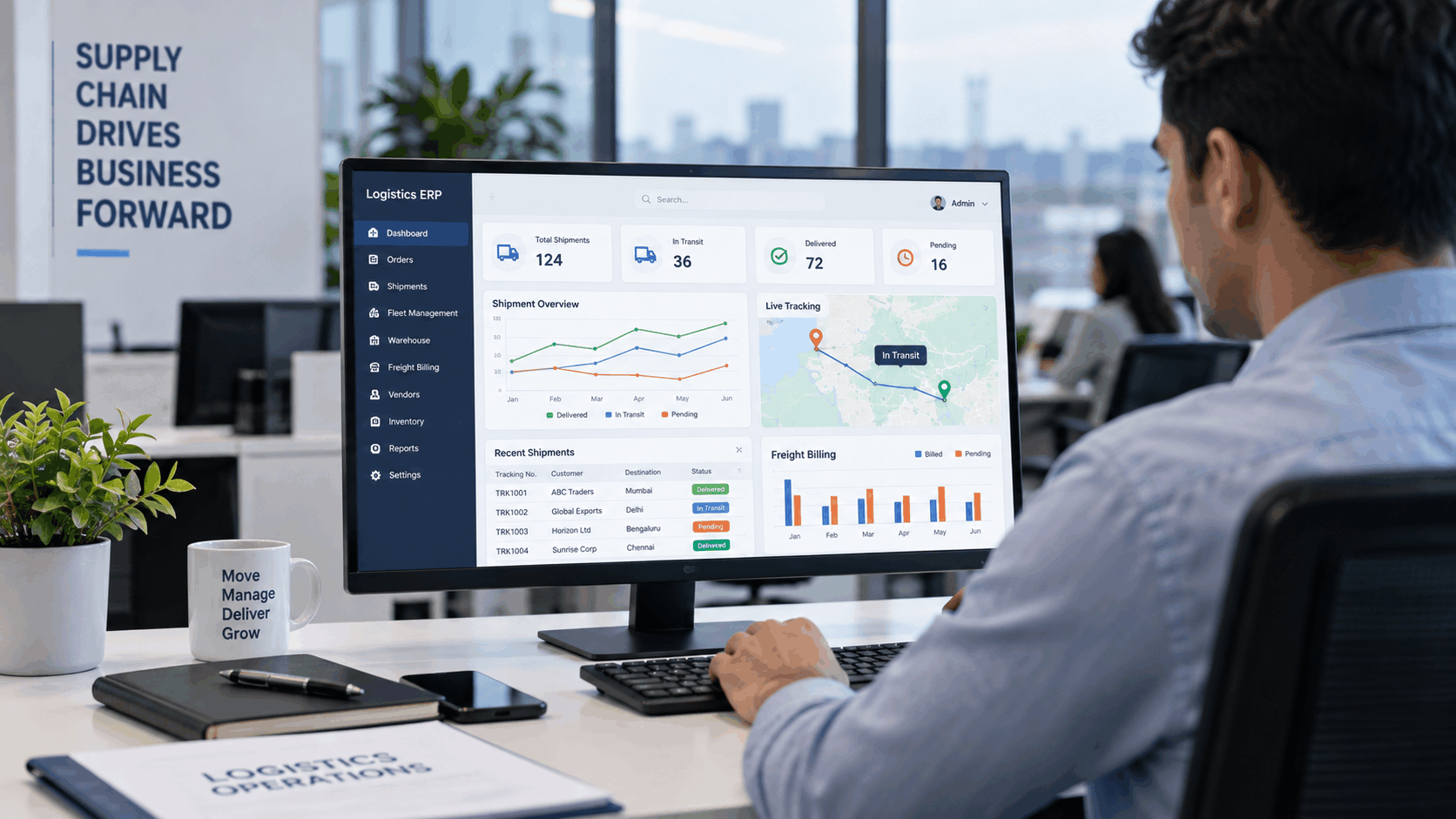
A Logistics ERP helps track whether an order is pending, dispatched, in transit, delayed or delivered.
It can also store Proof of Delivery against the shipment record. If a shipment is delayed, the team can identify the issue earlier and update the customer quickly. Once delivery is confirmed, the billing process can start using the same delivery information.
- View current shipment and delivery status
- Track pending and delayed deliveries
- Maintain Proof of Delivery records
- Connect dispatch information with billing
- Improve customer delivery updates
- Reduce manual follow-ups between departments
This improves delivery tracking, customer communication and overall operational control.
Why T3 Softwares Is Relevant
T3 Softwares provides ERP and business software solutions that help companies connect inventory, warehouse, sales, finance, reporting and operations in one platform.
For logistics, manufacturing, distribution and warehouse-driven businesses, this kind of connected ERP system can help reduce manual dependency and improve day-to-day operational control.
With T3 Softwares, businesses can manage inventory, warehouse operations, freight coordination, billing, delivery tracking and reporting in a more structured way.
Instead of working with disconnected records, teams can access updated information from one system and make faster operational decisions.
Conclusion
Logistics ERP Software helps businesses manage freight, billing, warehouse, inventory, transport, vendors and delivery operations in one connected system. It reduces manual work, improves shipment visibility, avoids billing mistakes and helps teams coordinate better across departments.
For businesses that depend on accurate delivery, freight control and warehouse visibility, the right ERP software can make logistics operations more organised, efficient and reliable. T3 Softwares helps businesses build connected ERP workflows that support better control over logistics, billing and delivery operations from order to final dispatch.